

01
Timeline, Kanban and calendar
Tasks as bars on a timeline, columns by status or on a calendar by deadline, where a deadline moves by dragging — those who don't think in trees don't have to. More →
 killBottleneck.
FEATURES / REAL SCREENSHOTS
The goal on top, the steps below it, their steps below them. When something gets stuck, the map itself shows everything that is waiting because of it.
01 / THE MAP YOUR AI ASSISTANT WORKS WITH
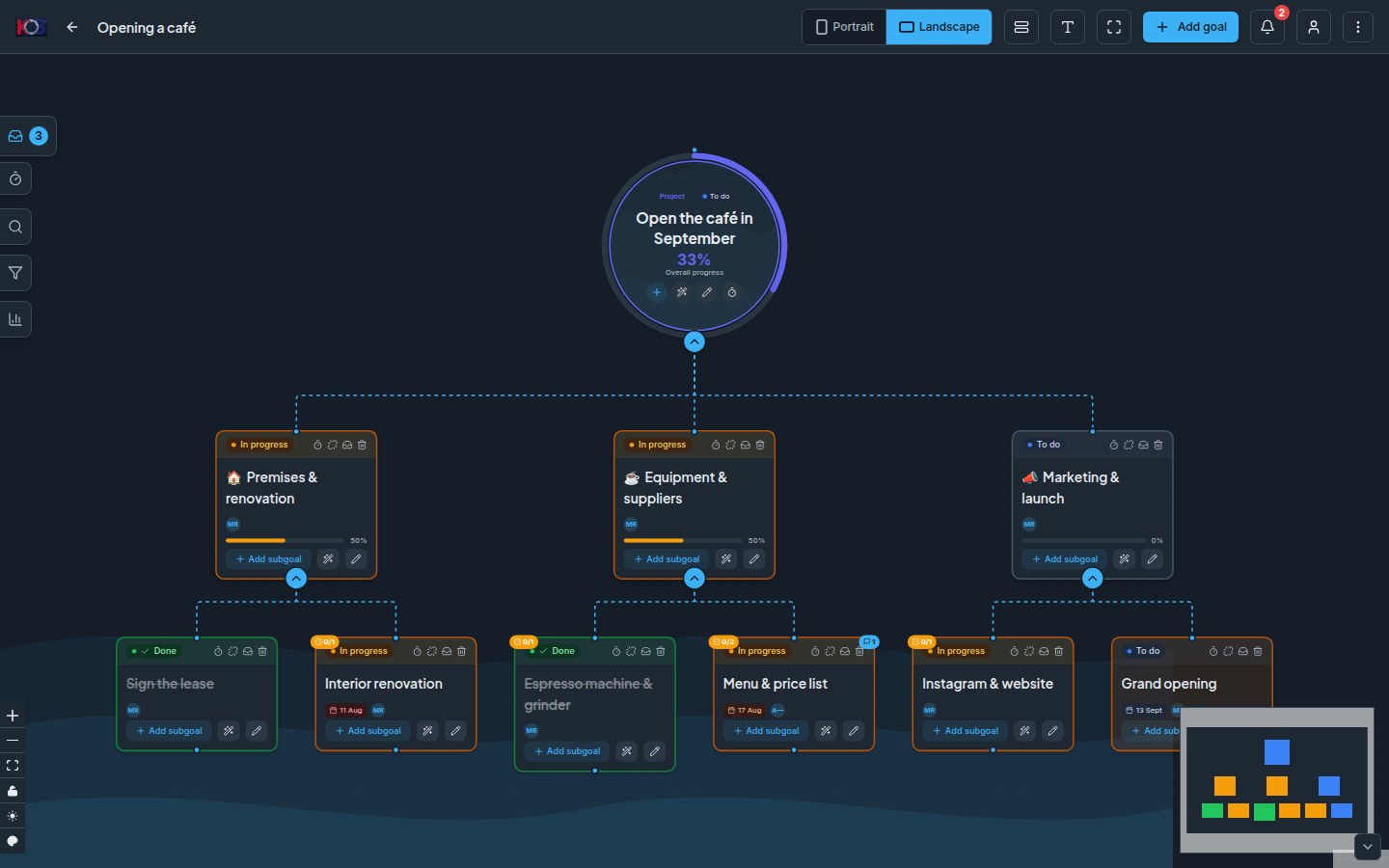
An editor with nodes and edges, statuses (Created → In progress → Done), deadlines, owners, notes and comments. A node can be set to wait for its entire subtree — which is what makes the map show what actually blocks the deadline, not the loudest item.
Finished steps recompute the parent's progress all the way to the top. You don't have to remember that "there is no point starting this until that is done" — the map knows.
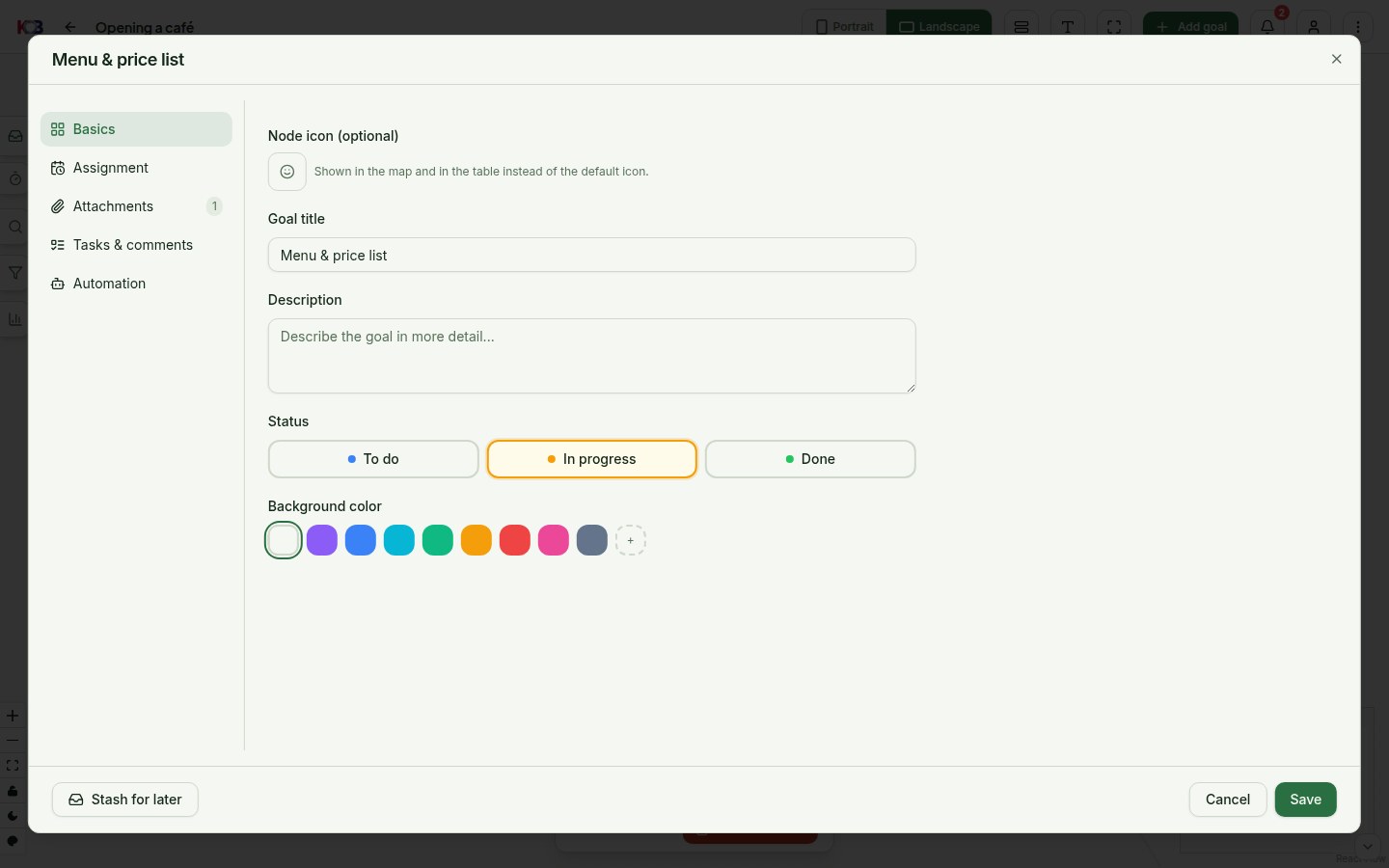
Status, deadline, the responsible person, and whether the step is done by a human or an automation. Colour and icon, a longer description, a discussion thread.
And attachments by link, not by copy: pin a link to Google Drive, Dropbox or SharePoint to a node or a task — the file stays where it already is. On the hosted version that is deliberate: your files never sit on our servers. Self-hosted takes file uploads too.
02 / A DAY IN THE APP
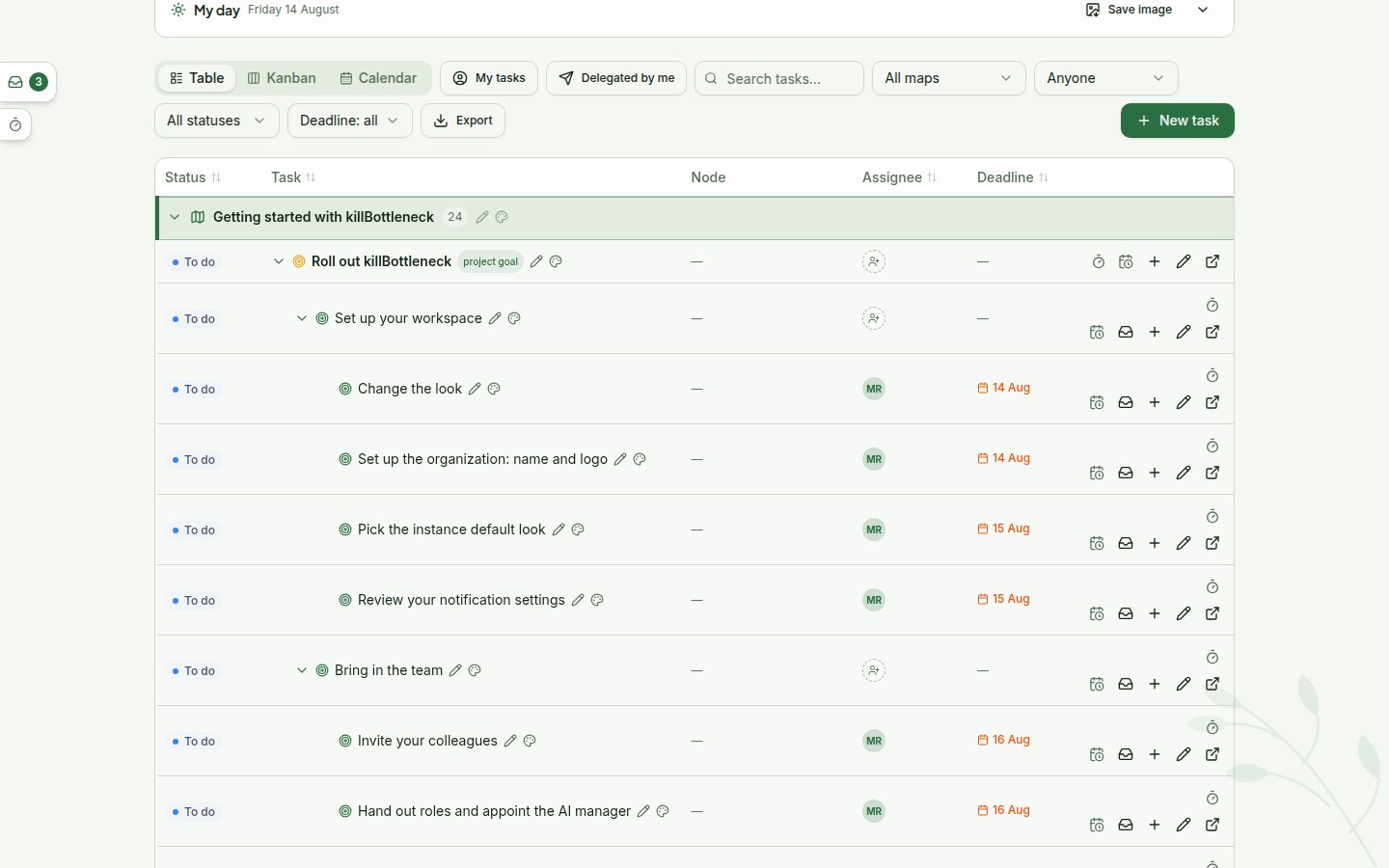
A clickable overview of overdue / today / next 7 days / blocking others. Daily focus adds one most important task for today and one for tomorrow — no more than that, which is the point.
The overview exports to a portrait image for a phone, including an anonymous variant with titles blacked out — for when you want to show the load, not the content.
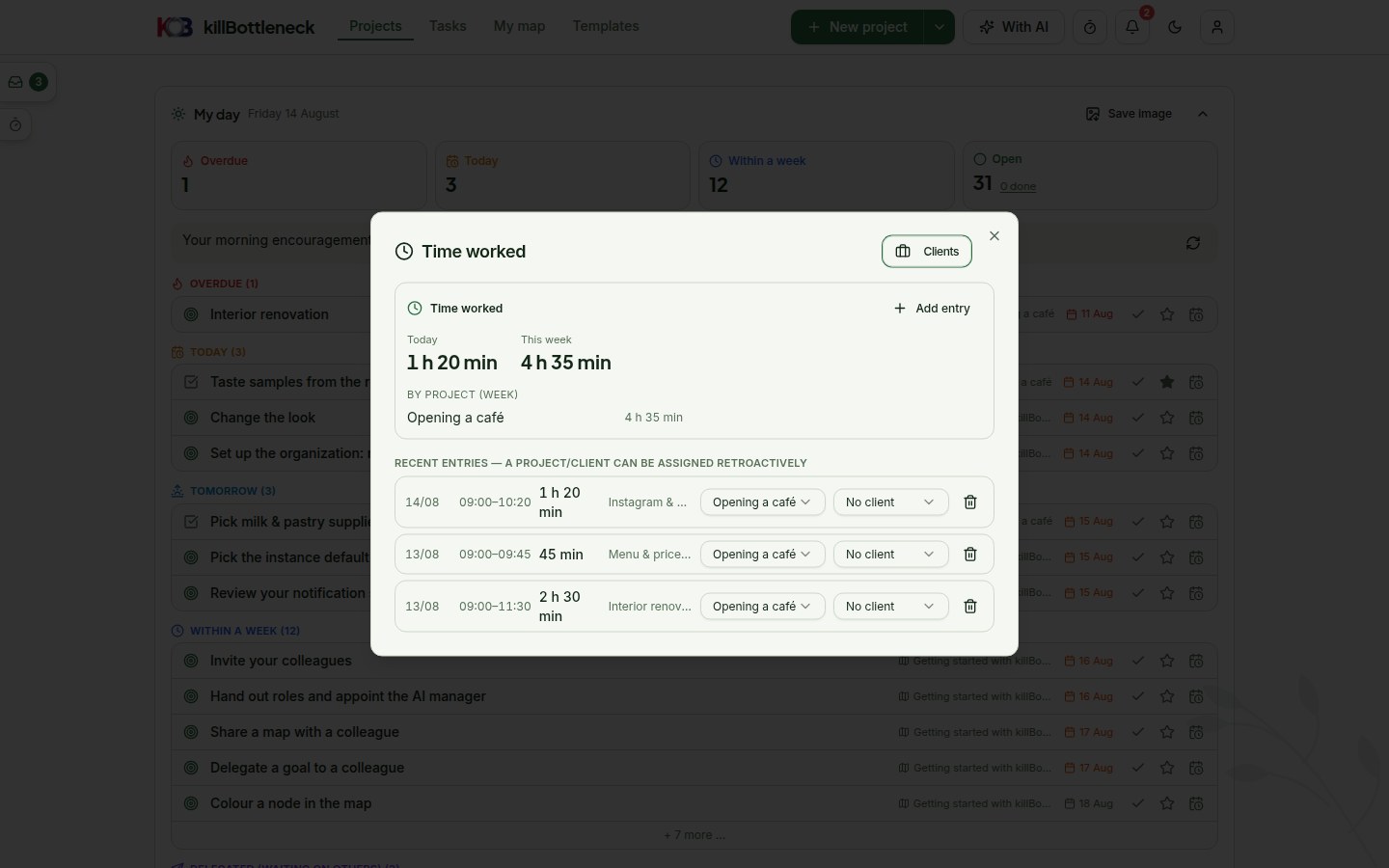
A timer in the top bar, clocks on tasks and map nodes, manual from–to entries, retroactive assignment, daily and weekly summaries per project and client. A timer left running stops itself after twelve hours.
Tracking does not change a task's status — it is supplementary, not another obligation.
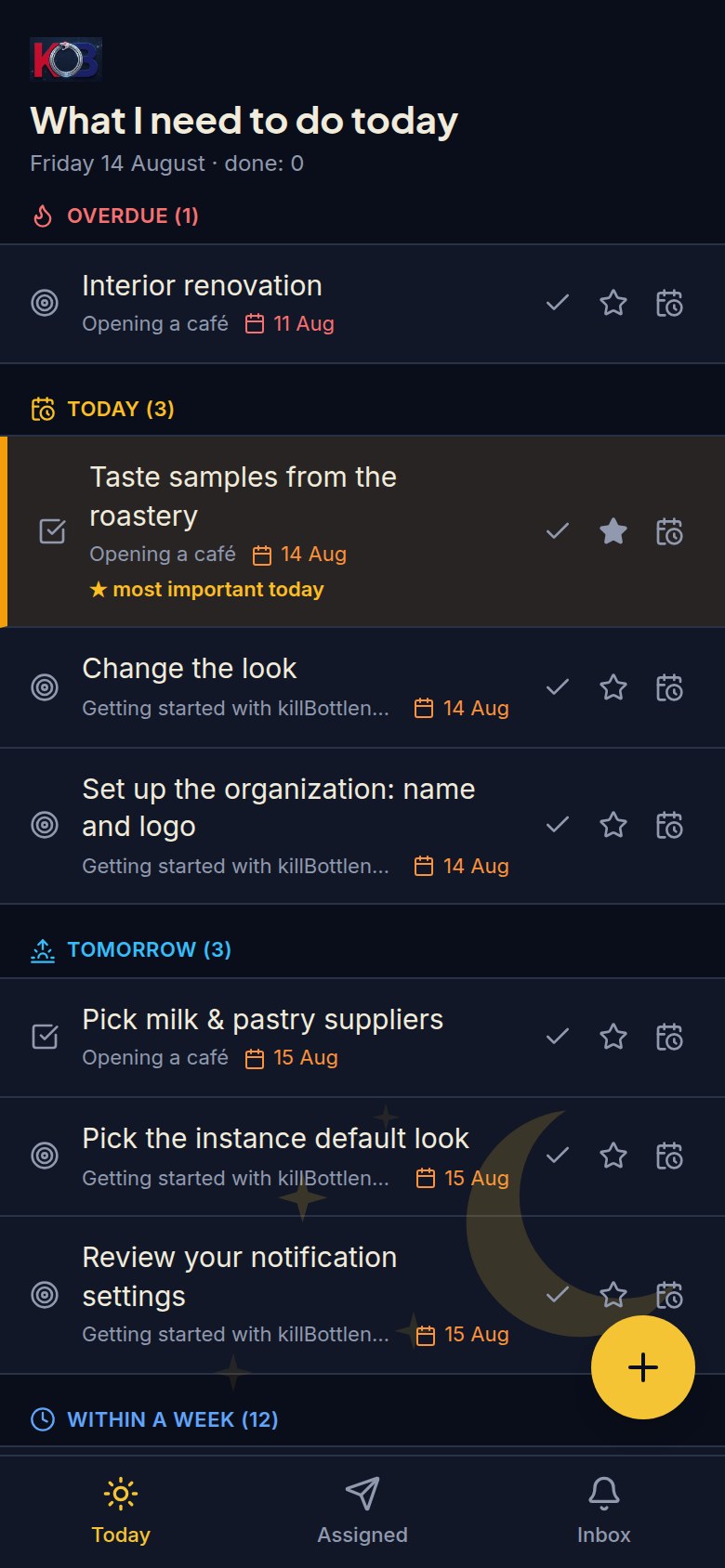
A colleague who just wants to tick off their tasks gets the simplified view: large rows, one-tap statuses, no map. It switches with a single button — and the map loses nothing, both views work on the same data.
03 / AI AND ASSISTANTS
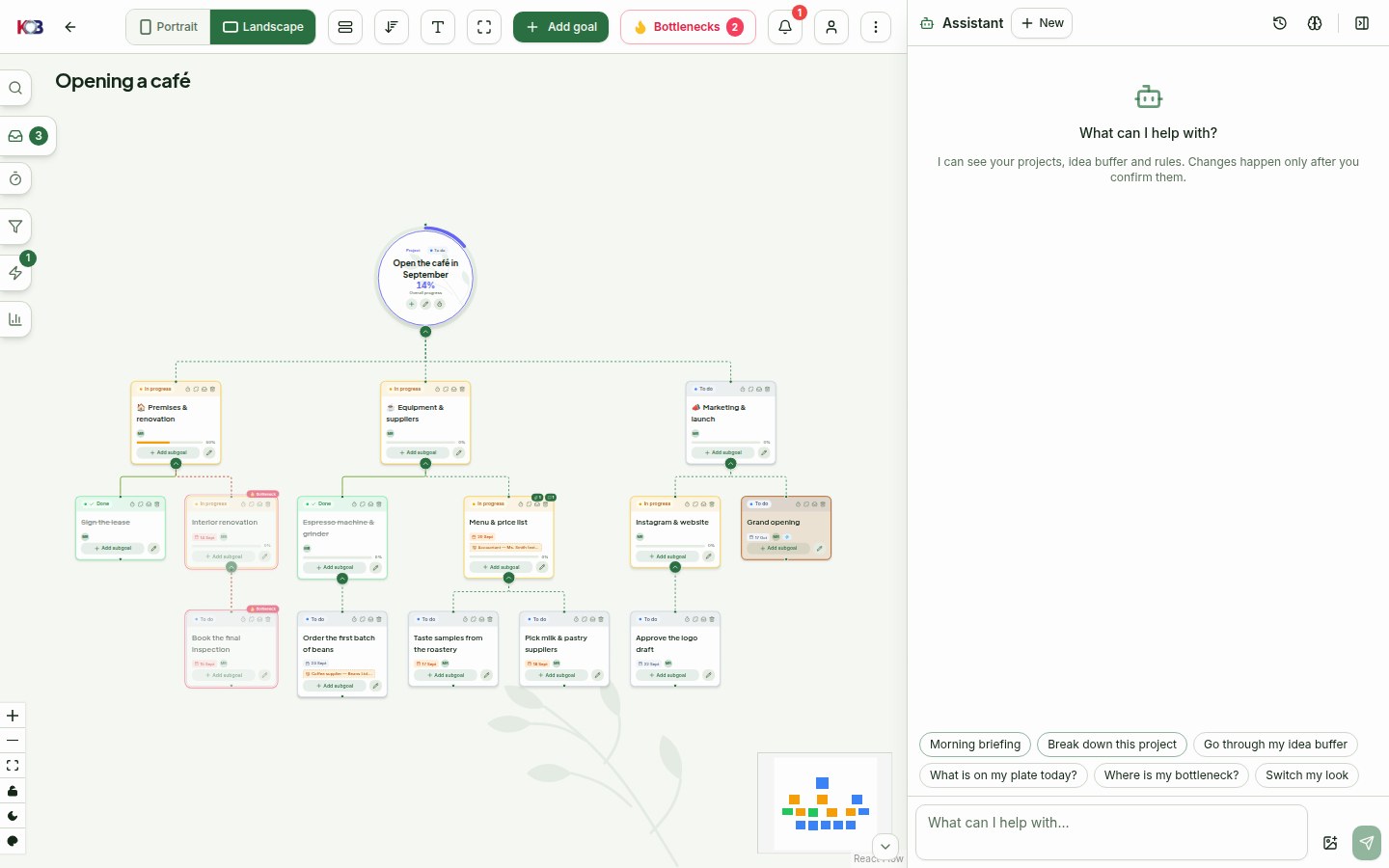
A map drafted from one sentence, branch expansion, chat over the map, a project summary, a map from text or from speech. All of it can be switched off, and off is the default.
Run your own model through Ollama (free, data never leaves the building), or use our service.
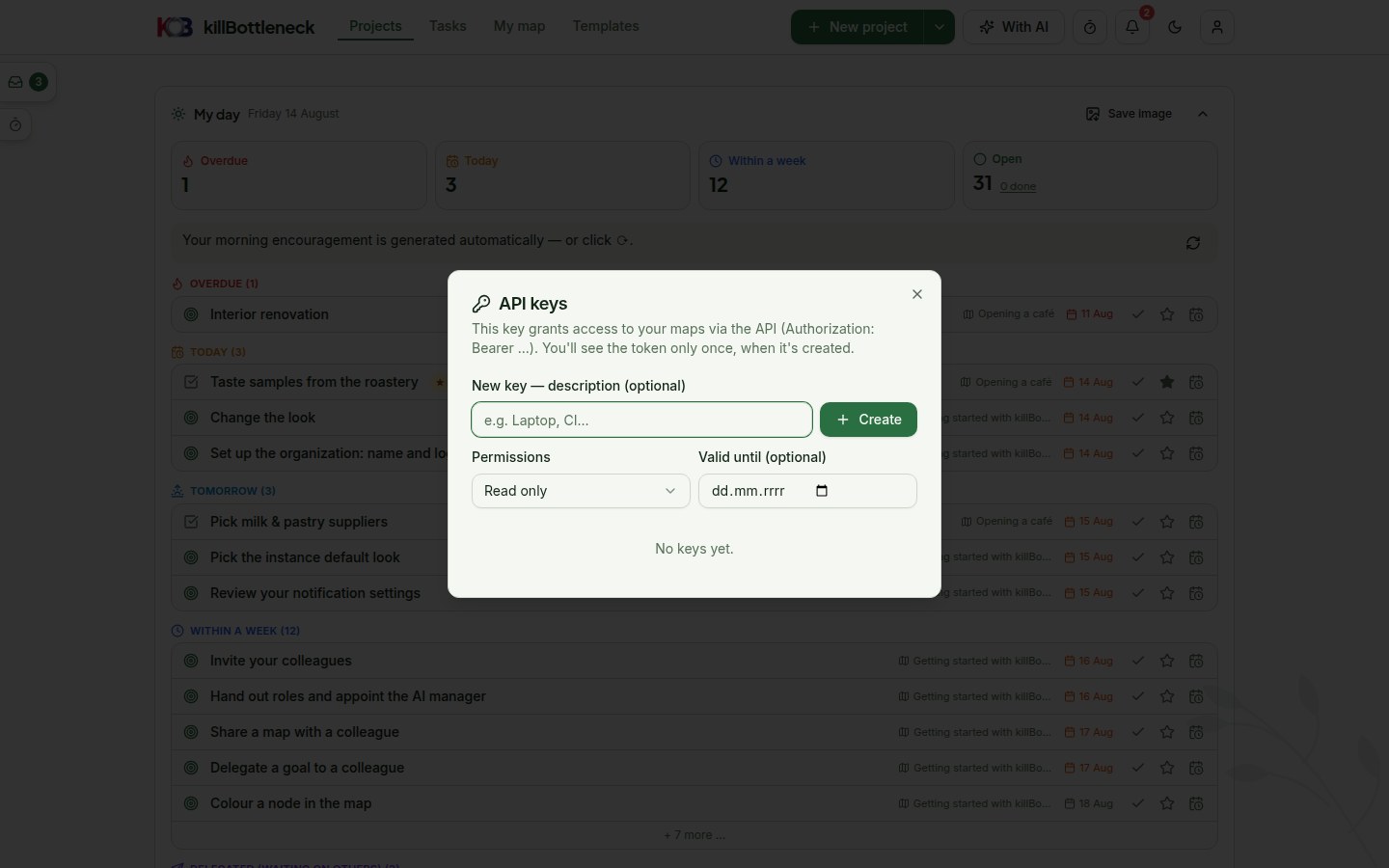
The /api/kb/v1 REST API and an MCP server mean Claude Desktop or Claude Code can read and edit your maps. The map becomes the place where an agent records what it did — and you see the state without having to ask.
04 / AND BEYOND
Tasks as bars on a timeline, columns by status or on a calendar by deadline, where a deadline moves by dragging — those who don't think in trees don't have to. More →
Save a running map as a template and the next project starts in a minute. Bilingual built-in templates included. More →
Twelve built-in looks and an open source editor to click together your own — dark variant included. More →
Share a map with colleagues for reading or editing, or publish it behind a link — only map content goes out, never people's e-mails. More →
Whatever has no place in the map yet lands in the backlog — and won't vanish with a filter or a mood. More →
Deadline and change alerts with a daily cap — the app notifies you, it doesn't hound you. More →
THE BEST WAY TO SEE IT IS ON YOUR OWN MAP.